Posts

Digital Photography and Imaging / Project 1 Exercises
Image
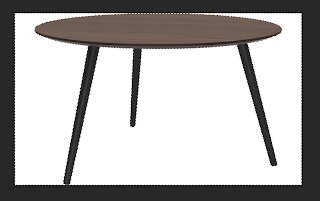
02/09/2022 - 23/09/2022 / Week 1 - Week 4 Kim Min Ah / 0356145 Digital Photography and Imaging / Creative Media / Taylor's Design School Exercise 1   -  Utilizing Lasso Tools Week 1 (02/09/2022) Insert three different tables into the background using the lasso tools and create shadows using brushes. Progress Figure 1.1.1 exercise 1   process 1  Trace an object with a lasso tool to separate it from its background. Figure 1.1.2  exercise 1   process 2 After tracing the object, hit "delete" or create a layer mask to remove the background. Figure 1.1.3  exercise 1   process 3 Place the separated object into the given background. Figure 1.1.4  exercise 1   process 4 Create some shadows under the object to balance out the whole image naturally. Figure 1.1.5  layers used for exercise 1 Final Figure 1.1.6 e xercise 1 outcome Exercise 2   -  Colouring (using brush tool) Week 4 (23/09/2022)  colour black and white pho...

Digital Photography and Imaging / Project 2A Exercises

Image
30/09/2022  Week 5  Kim Min Ah / 0356145 Digital Photography and Imaging / Creative Media / Taylor's Design School Exercise 1  -  Double Exposure Create a double exposure image using blending mode, clipping mask, layer mask, etc. Progress Figure 1.1.1 original image 1. Select the figure of the image by using a selection tool, click "Select Subject",  and click on "Select and Mask". 2. Set the view mode as  "Overlay" and use "Refine Edge Brush Tool" for more details. 3. After adjusting every detail, select layer with "Layer Mask" and click OK to leave select & mask mode. 4. Create a new layer under the figure layer named "bg", and apply "Fill with solid colour". 5. Add "Curve Adjustment" layer on top of the figure layer, and create "S" curve. Right click on curve layer to select "Create clipping mask". Figure 1.1.2  exercise 1 process 2 Figure 1.1.3  exercise 1 process 3 6. Add th...

Illustration and Visual Narrative / Task 1 : Vormator Challenge

Image
07/09/2022 - 14 /09/2022  / Week 1 - Week 3 Kim Min Ah / 0356145 Illustration and Visual Narrative  / Creative Media / Taylor's Design School PHYSICAL CLASS Week 2 (07/09/2022) In the week 2 class, we learned how to set a basic work environment. Also, learned how to use pen tools, and strokes and to set dartboard dimensions and colours.  We practiced tracing shapes by using a pen tool. Figure 1.1.1 provided shapes (vormator challenge) Week 3 (14/09/2022) We started off working on our vormator challenge individual. Afterward, we learned essential shortcuts while Mr.Hafiz showed us how to utilize the pathfinder and shape builder tools. Essential shortcuts to see outlines - command + Y  movement tool - V copy - option + drag  duplicate - command + D  group - command + G  ungroup - command +shift+ G  Pathfinder & Shape builder tool transparency panel(blending mode)      darken /  multiply(most preferred)  / colour burn...

Design Principles / Exercises

Image
30/08/2022 - 20/09/2022 / Week 1 - Week 4 Kim Min Ah / 0356145 Design Principles  / Creative Media / Taylor's Design School CLASS Week 1 (30/08/2022) For the first class, we had an introduction to Design Principles class. Week 2 (06/09/2022) We shared our rough design sketches for the first exercise on the Microsoft meeting and had feedback from Ms. Jinchi.  Week 3 (13/09/2022) We shared our improved design sketches based on Ms. Jinchi's feedback on the Microsoft meeting and had feedback from Ms. Jinchi.  Week 4 (20/09/2022) Had feedback on my work before the final submission.  LECTURES Pre-recorded Lecture ( Contrast & Gestalt Theory)  Through the lectures and slides, Ms. Jinchi  explained the basic concept of Contrast and Gestalt Theory. Contrast Figure 1.1.1. " Life is a danceable Tragedy",  Pinterest https://www.pinterest.com/pin/445363850660896849/?nic_v3=1a1mnf6qN The definition of Contrast is the juxtaposition of strongly dissimilar elements...